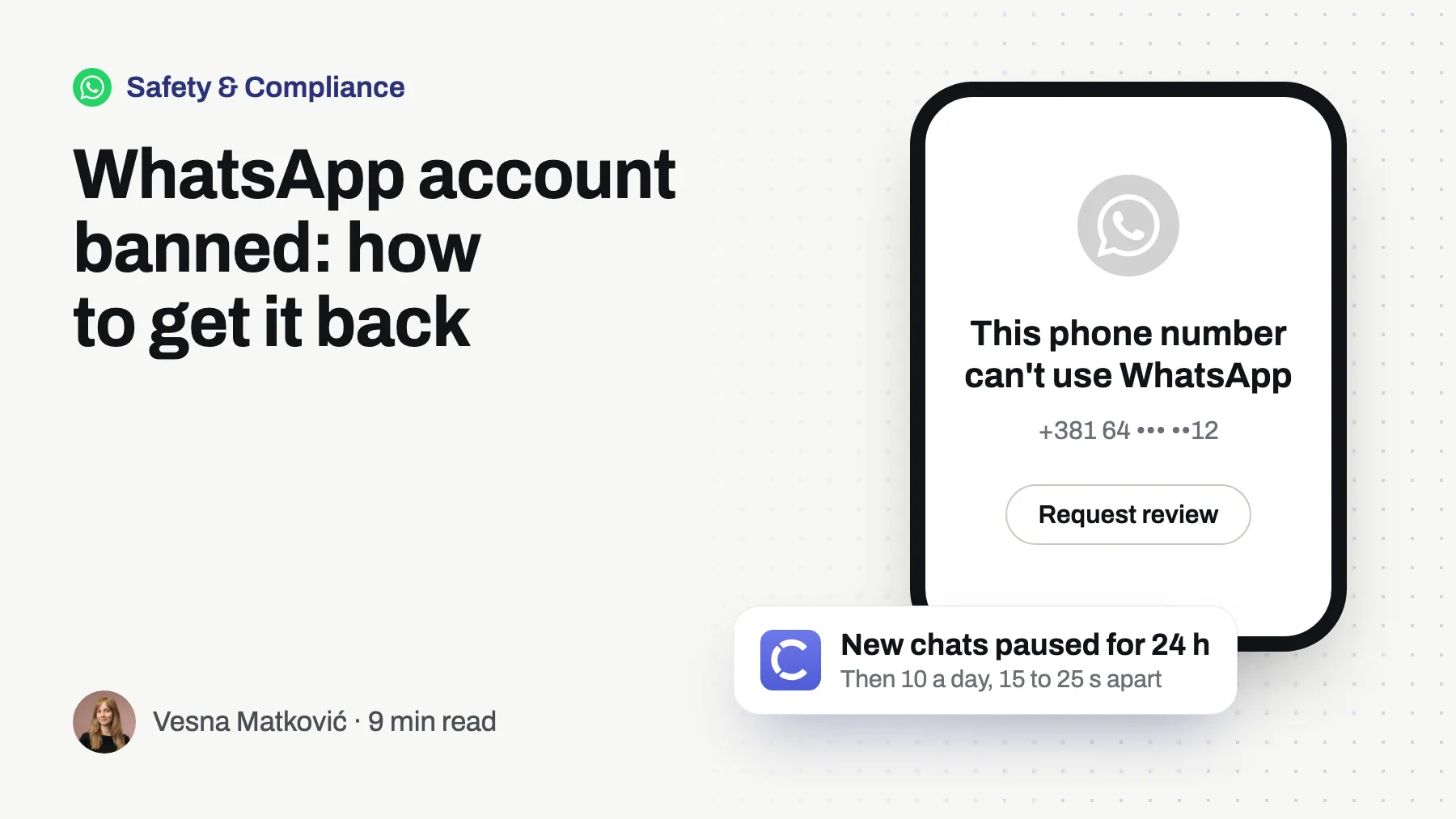
If WhatsApp shows “This phone number can’t use WhatsApp”, your number is banned. WhatsApp bans accounts it believes broke its Terms of Service, most often for spam, bulk messaging or modified apps. Tap Request review on that screen. WhatsApp says most reviews finish within 24 hours, and you get a notification with the decision. If there’s no Request review button, the ban is final.
If the screen says “Your account is restricted right now”, you aren’t banned. A restriction lifts by itself and you don’t need to do anything.
People mix those two up constantly, and the right move for each is different. Below: how to tell which one you have, what to do in the first hour, why it happens to people who didn’t mean to spam anyone, and how to keep selling on WhatsApp without risking the number again. We build a CRM that connects to WhatsApp, so we spend more time on this than we’d like.
Banned, temporarily banned or restricted?
WhatsApp has three separate states, each with its own help page. Match your screen to one of them before you touch anything.
Banned. “This phone number can’t use WhatsApp.” The account is off, and WhatsApp’s account bans page says you can’t open your chats or backups while it stays that way. If the app offers Request review, you can appeal. If it doesn’t, the decision stands.
Temporarily banned. The app says “Temporarily banned”. WhatsApp’s page on temporary bans gives two causes: using “fake WhatsApp apps, developed by third-parties which violate our Terms of Service” (modified clients like GB WhatsApp or WhatsApp Plus), and scraping other users’ information. Switch to the official app or stop the scraping. If you carry on, the page warns, the ban can become permanent.
Restricted. “Your account is restricted right now” or “Your account may be restricted soon”. Per the restricted accounts page, you can still talk to contacts and groups you’ve “exchanged chats or calls with previously”. You “can’t start chats or calls with new contacts, create new groups, add new members to groups, or use linked devices.” It ends on its own when the time runs out.
One exception. If your number runs on the WhatsApp Business Platform, the API you reach through a provider, none of this applies. Those appeals go through Meta’s Business Help Center, and WhatsApp support won’t handle them.
WhatsApp banned my number: the first hour
- Stop everything that sends from the number. Broadcast lists, bulk senders, browser extensions, automations, scheduled messages. A review goes better when nothing is still firing in the background.
- Remove any modified WhatsApp. If the phone runs GB WhatsApp, WhatsApp Plus or anything like them, install the official app from the App Store or Google Play first.
- Tap Request review. You’ll be asked for a short explanation. Two or three plain sentences: who you are, who you message, why they expect to hear from you. “I run a furniture shop and message customers who ordered from us” works better than a paragraph about your rights.
- Wait for the notification. Most reviews close within 24 hours. WhatsApp says writing to support outside the review won’t speed it up, and one appeal covers one number.
- If you’re unbanned, verify the number again and ease back in. Answer people who write to you. Start nothing new for a few days.
And three things to skip:
- “Unban services”. Nobody outside WhatsApp can lift a ban. Most of these services ask for your verification code, which gives them the account.
- The same habits on a new number. WhatsApp watches patterns. A fresh number doing what got the old one banned gets less patience, not more.
- Ten appeals. One clear request is the one that gets read.
How long does a WhatsApp ban last?
A ban has no end date. It lasts until a review reverses it, and without a review button it’s permanent.
A restriction has an end date, and WhatsApp shows it if you know where to look. Tap New chat and pick a contact you’ve never messaged: the pop-up tells you how long is left.
For temporary bans, WhatsApp publishes no length. The “24 hours, then 3 days, then 7 days” tables you’ll find on vendor blogs aren’t on any WhatsApp help page. Treat them as guesses.
Why WhatsApp bans people who didn’t send spam
Most people who lose a number don’t see what they did as spam. WhatsApp doesn’t ask the sender. It watches what the receiving side does, and it watches for patterns that look automated. The causes we run into most:
Someone reported or blocked you
Blocking an unknown number offers Report in the same dialog. What you meant as a friendly follow-up is, on the other phone, an unknown number trying to sell something. A few of those in a short window is enough.
You wrote to people who never saved your number
Bought lists, members exported from a group, a spreadsheet you inherited from the last sales hire. Those people didn’t expect you, and WhatsApp can see they don’t have you saved and haven’t written to you before.
Too many messages nobody answered
Since October 2025 WhatsApp has been testing a monthly limit on messages sent to people who haven’t replied. It applies to individuals and businesses, and the number isn’t public. The direction is obvious, though: an unanswered message now counts against you.
Identical text, sent fast
The same paragraph pasted into 80 chats in a quarter of an hour looks automated because it is. Speed and sameness are the two things a person typing by hand can’t produce.
A brand-new number
A number registered last week has no history to lean on. Outreach on day two looks exactly like what spammers do with fresh SIM cards.
Modified apps and scrapers
Covered above. They’re the one cause WhatsApp names outright, and the one that gets a temporary ban almost by default.
How to avoid the next ban
Underneath every rule: write to people who expect you, at the speed a person types.
- Get people to save your number, or let them write first. A conversation the customer started is the safest one you’ll have.
- Give a new or re-registered number a quiet first day. Replies only. Build up from there.
- Personalise properly. Their name, their order, the thing they asked about last week. Twenty careful messages beat two hundred copies.
- Space your sends. Seconds between messages, at minimum.
- Stop when they answer. A follow-up sequence that keeps going after someone replies is how a happy customer turns into a report.
- Watch your reply rate. If almost nobody answers, the list is wrong. Fix it before WhatsApp does.
Where Cavyro fits
Cavyro is a CRM for teams that sell in chat. You connect the WhatsApp or WhatsApp Business app you already use, through Linked devices, and every chat lands next to its contact and deal. The number is yours and we can’t replace it, so we built the habits above into the product. They don’t depend on someone remembering them at the end of a long Friday.
- A quiet first day. For 24 hours after you connect or reconnect a WhatsApp account, Cavyro won’t open a conversation with anyone new, even if you press Send yourself. Replies you type to people already talking to you go through.
- 10 new conversations a day per account. That’s our ceiling for first messages. If a list needs more than that, WhatsApp is the wrong channel for it.
- Automated sends wait 15 to 25 seconds, randomised. Automations, campaigns, our API and the MCP server all queue behind the same timer. Replies a person types go out at once.
- 100 automated messages a day per account. Everything nobody on your team wrote or approved counts toward it.
- When WhatsApp pushes back, the number stops. A rate-limit answer from WhatsApp pauses sending from that account for everyone: automations, campaigns and the team.
- Campaigns only go into chats you already have, and each person drops out the moment they reply. Stop-on-reply is on by default.
If the worst happens anyway, the work wasn’t living on the phone that got banned. Contacts, deals, notes and tasks stay in Cavyro, so you still know who you were talking to and what you promised them.
What we can’t do is make a cold list safe or get a banned number back. Any tool that sends from a personal account carries some risk, and we’d rather publish our caps than promise “100% safe”. If you need to reach thousands of people who didn’t write to you first, that’s a job for the WhatsApp Business API with opt-ins and approved templates, and for a different kind of tool.
FAQ
How long does a WhatsApp ban last?
A ban lasts until a review reverses it. If the app shows no Request review option, it’s permanent. A restriction is different: it has an end date, lifts on its own, and you can see the time left by starting a new chat with someone you’ve never messaged.
How do I get my WhatsApp account unbanned?
Stop everything that sends from the number, remove any modified WhatsApp app, then tap Request review on the ban screen and explain in a few sentences who you message and why. WhatsApp says most reviews finish within 24 hours. If you’re unbanned, you’ll verify your number again.
Why was my WhatsApp banned for no reason?
Usually people reported or blocked your messages, even if you didn’t mean them as spam. Other common causes: messaging people who didn’t save your number, many messages nobody answered, identical text sent fast, a newly registered number, or a modified app like GB WhatsApp.
What’s the difference between banned and restricted on WhatsApp?
Banned means the number can’t use WhatsApp at all until a review reverses it. Restricted means you can still talk to people you’ve chatted with before, but can’t start new chats, create groups or use linked devices until the restriction lifts on its own.
Can I use the same number after a WhatsApp ban?
Only if your review succeeds. Then you verify the number again and can use it as before. If the ban is final, that number can’t be used with WhatsApp.