If Messenger won’t let you send, Facebook has most likely put a temporary block on your messaging. Its help pages give three usual reasons: you sent a lot of messages in a short time, people marked your messages as unwelcome or spam, or something you sent broke its Community Standards. The block lifts by itself. Facebook doesn’t publish how long it lasts, says it “depends on the severity of the violation and your history”, and offers no way to end it early. Stop messaging people you don’t know, wait it out, and check your Account Status in the meantime.
If you’re here because you saw the word “restricted” next to a person’s name, that’s a different thing: the Restrict feature, which you set yourself. It’s at the end.
We build a CRM that connects Messenger accounts and Facebook Pages, so we read Facebook’s help pages on this more than we’d like. Everything below was checked against them on 15 November 2026, and where Facebook doesn’t publish a number, we say so and don’t make one up.
What the block looks like
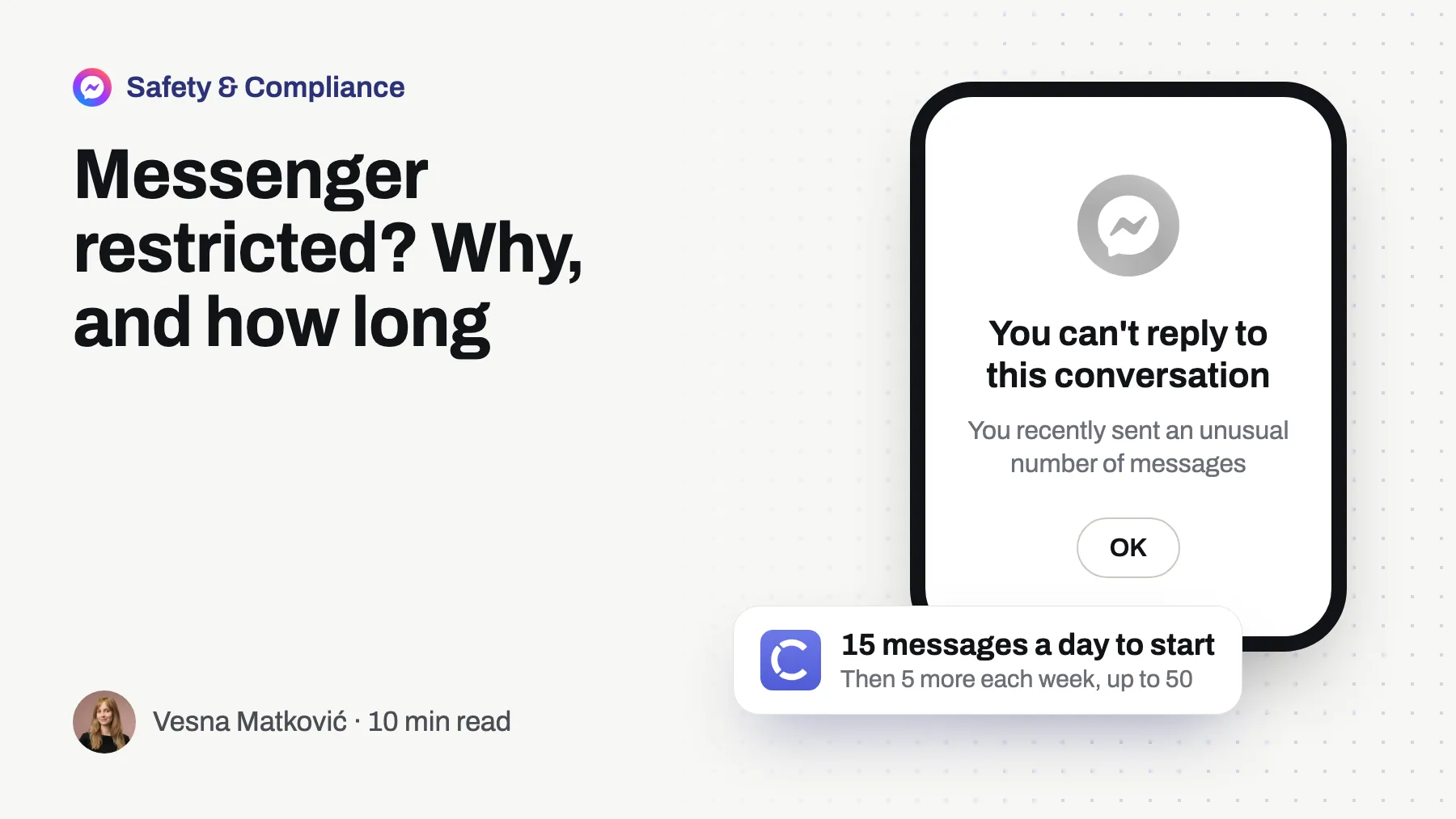
The one error message Facebook publishes for this is “You can’t reply to this conversation.” According to its help page on sending problems, it can mean:
- “A message or something you shared goes against our Community Standards.”
- “You recently sent an unusual number of messages, which may seem like spam to our security system.”
- “Messages you sent were marked as unwelcome.”
- “You blocked the person you’re messaging or they blocked you.”
The last one isn’t a block on you, it’s a block between two people. If only one conversation fails and every other one works, that’s probably what happened.
People also report wording like “You can’t send messages right now” or “You’re temporarily blocked”. Facebook doesn’t publish those strings on its help pages, so we can’t tell you exactly which situation each one means. They all point to the same causes below.
Two things that come with a messaging block, per Facebook: “If you can’t send messages, you may also be temporarily blocked from sending friend requests.” And you can still use the rest of Facebook, comment, post on your profile, while the block runs.
Why Facebook blocks you from sending messages
You sent too many, too fast
Messenger “limits how many messages you can send and how quickly you can send them”, it says. If you got a warning about sending too much or too quickly, that warning is the last step before the block. Facebook won’t give the numbers: “We can’t provide additional details on the rate limits that are enforced.”
You messaged a lot of people who aren’t your friends
This is the one that catches salespeople. “If someone is sending out an excessive number of messages to people they aren’t friends with, they may be warned or temporarily blocked from sending messages.” Those messages land in the other person’s Message Requests, where spam filtering is strictest, and Facebook’s rules for personal profiles are blunt: it “doesn’t allow messages promoting or advertising a product, service or opportunity”, and “unsolicited messages of any kind aren’t allowed.”
People marked your messages as unwelcome
Each person who ignores, deletes or reports a message you sent counts against you. Cold, copy-pasted openers to strangers are the messages that get reported; a reply to someone who wrote first rarely is.
Something you sent broke the Community Standards
A link, an image or a message Facebook removed. This can also come with a strike on your account, which is where restrictions on the rest of Facebook start (more below).
The account looks compromised
Messages you didn’t write going out from your account are one of the signs of a hacked account Facebook lists. If that’s what you see, skip ahead to the hacked account route.
How long a Messenger block lasts
Facebook says the block “is temporary”, and that “the length of a block depends on the severity of the violation and your history on Facebook.” No hours, no days. The only block Facebook puts a number on is the friend request block that often comes with it: “it’s temporary and will end automatically within a few days.”
You’ll “keep seeing an error in chat until the block ends.” There’s no button to end it sooner, and Facebook publishes no appeal route for a messaging block on a personal profile.
What we’d do: assume a few days, don’t test it every hour, and when it lifts, start with replies to people who wrote to you.
When it’s more than Messenger: account restrictions
A messaging block is narrow. An account restriction comes from strikes, and Facebook’s Transparency Center publishes the ladder:
- 1 strike: a warning.
- 2 to 6 strikes: “restricted from specific features, like posting in groups, for a limited amount of time.”
- 7 strikes: a 1-day restriction from creating content.
- 8 strikes: 3 days.
- 9 strikes: 7 days.
- 10 or more: 30 days.
A separate Meta page on disabling accounts says that “after 5 strikes, you may receive additional 30-day restrictions… or we may remove your account”, so the ladder isn’t as fixed as it looks. Strikes expire after a year.
Where to see it: click your profile picture, then Help & support, then Account Status. It lists strikes, restrictions and how long they last. If you think Facebook got it wrong, request a review from there; Facebook says it removes the strike when it agrees, though “during busy periods, we may not be able to review all requests.”
If you see “We suspended your account” at login, that’s a suspension, not a restriction. You can appeal within 180 days; after that, or if the appeal fails, Facebook disables the account permanently.
If Facebook locked the account for “unusual activity”, open Facebook, select Get started and follow the steps. It may ask you to confirm your identity with a government ID, or two non-government IDs if you don’t have one.
If the account was hacked
Go to facebook.com/hacked from a device you’ve logged in from before. Change the password, turn on two-factor authentication, and remove any app or tool you don’t recognize from your logins.
If your Facebook Page can’t send messages
Pages play by different rules. A Page can reply to someone for 24 hours after their last message (up to 7 days when they came from a click-to-Messenger ad). Outside that window it needs a message tag, and tags can’t carry promotions. A Page can start conversations with at most 10 new message requests a day, and Facebook says that feature “is not yet available for all Pages.”
When a Page breaks those rules, it gets a warning in the Meta Business Suite Inbox first. Keep going and it’s restricted from messaging, with ads that click to Messenger paused too. Facebook’s business help says: “We’ll tell you how many days you’re restricted from sending messages. You can request a review at any time during your restriction by clicking Take action in Inbox or by clicking Request review in Business Support Home. We aim to review and provide a decision within 48 hours.”
Repeated violations can get the Page unpublished; you then have 90 days to request a review. Check Page Status under Settings, Page setup.
How to avoid the next block
- Reply more than you start. A reply to someone who wrote first carries almost no risk. A cold message to a stranger carries the most.
- Don’t message people who don’t know you, in bulk. Facebook’s own advice after a block: “send messages and friend requests only to people you know.”
- Use your real name and a real photo, so the person recognizes who’s writing.
- Write each message for the person. The same text to fifty people is what spam filters look for.
- Stop at the first warning. A “you’re sending too fast” notice means slow down for the rest of the day.
- Be careful with tools that log in for you. Facebook’s Terms ban accessing its products “using automated means (without our prior permission)”, and sharing your login with anyone. Anything that sends from your profile on a schedule is in that territory.
Where Cavyro fits
Cavyro is a CRM for teams that sell in chat. Your Messenger, its message requests and every Facebook Page you manage come in as separate inboxes under one login, next to WhatsApp, Instagram, LinkedIn, Telegram and Gmail, and every conversation lands on a contact and a deal.
Since that last bullet applies to us too, here’s how we keep the risk low:
- A slow start. A newly connected account sends at most 15 messages a day from Cavyro, automations and campaigns included, and gains 5 more each week, up to 50.
- People first. Replies you type yourself aren’t held back by that cap, though they count toward it.
- We stop when Facebook says stop. If Facebook pushes back on sending, that account’s sending pauses for at least an hour, for everyone, before Cavyro tries again.
- Pages answer, they don’t cold-message. A Page in Cavyro replies to people who wrote to it; it can’t start new chats.
- No mass outreach to strangers. Campaigns only go to people who already have a Messenger chat with you, and stop when they reply.
We can’t make the risk zero, and no tool honestly can. And if a block happens anyway, the work doesn’t disappear with it: contacts, deals and notes stay in Cavyro.
The other “restricted”: the one you set
Messenger also has a Restrict button, for a person you don’t want to block outright. When you restrict someone, per Messenger’s help page:
- “You won’t get notifications when they message you, and your phone won’t ring when they call you.”
- “You won’t see your conversation with them in your Chats list.”
- “You won’t be able to call or message them.”
- “We won’t tell them that you restricted them.”
- “They won’t be able to see when you’re online or if you’ve read their messages.”
So if you can’t message one particular person and you see “restricted”, check whether you restricted them. To undo it in the app: Menu → Settings → Privacy & safety → Restricted accounts, open the person, tap Unrestrict. Restrict is phone-only; it isn’t available on computers.
Facebook also has a friends Restricted list, which is different again: people on it are your friends but only see your public posts. It has nothing to do with messaging.
FAQ
Why am I restricted from sending messages on Messenger?
Usually because you sent many messages quickly, messaged a lot of people who aren’t your friends, had messages marked as unwelcome, or sent something that broke Facebook’s Community Standards. The block is temporary and lifts on its own.
How long does a Messenger block last?
Facebook doesn’t say. It calls the block temporary and says the length depends on how serious the violation was and your history. The friend request block that often comes with it ends “within a few days”, per Facebook. There’s no way to end either early.
Can I appeal a Messenger restriction?
Not a messaging block on a personal profile; Facebook publishes no review route for it. Strikes and account restrictions can be reviewed from Account Status. A restricted Facebook Page can request a review from its Inbox or Business Support Home, and Facebook aims to decide within 48 hours.
What does “restricted” mean on Messenger?
Two things. Either Facebook has temporarily blocked you from sending, or you used the Restrict feature on a person, which hides their chat and mutes their messages without telling them. Unrestrict them under Settings, Privacy & safety, Restricted accounts.
How do I avoid getting blocked on Messenger again?
Message people who know you, write each message for the person, stop at the first warning about sending too fast, and use your real name and photo. Be careful with tools that send from your profile automatically; Facebook’s Terms ban unauthorized automated access.