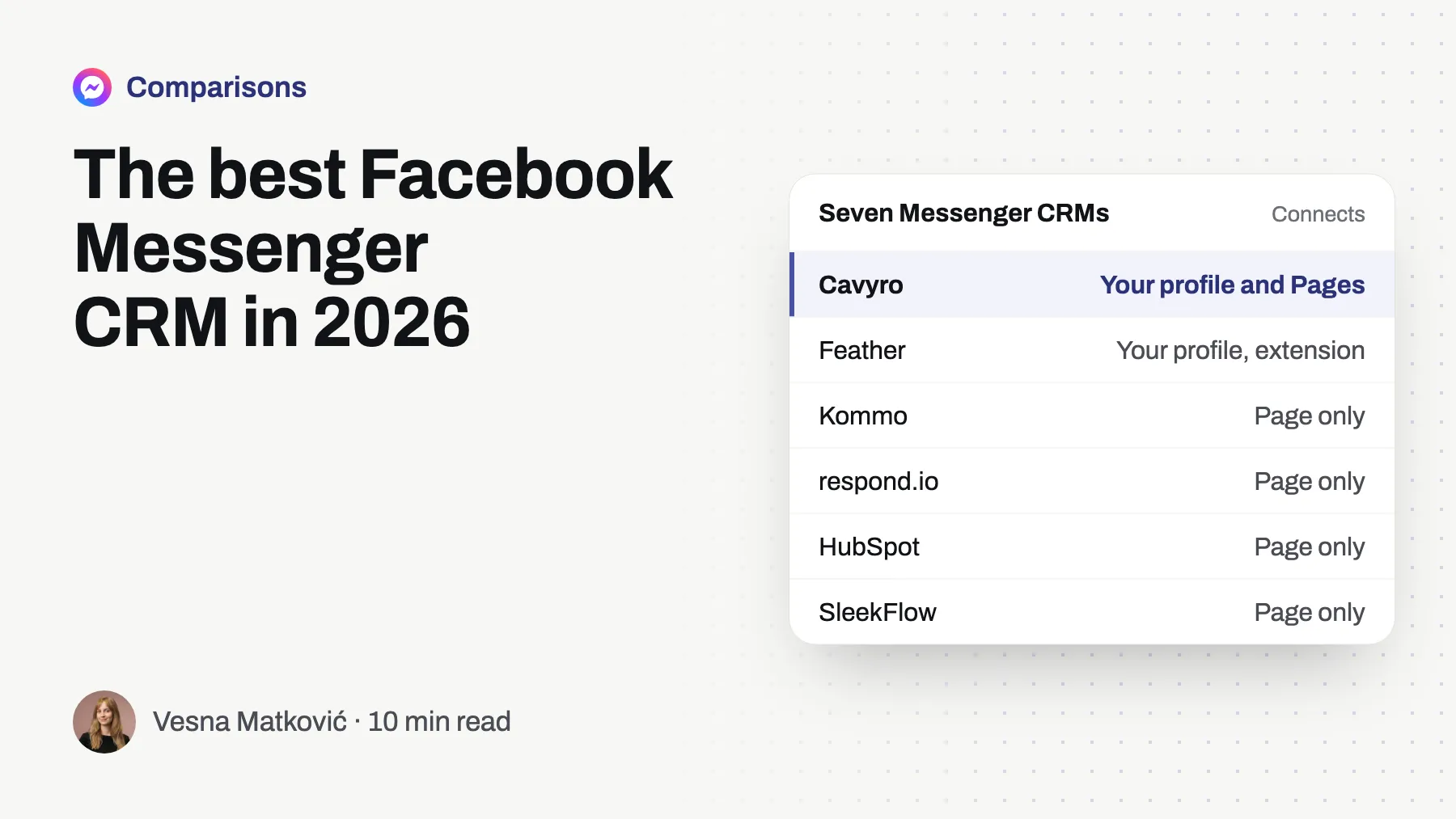
We build Cavyro, so read this the way you’d read any comparison written by a vendor. What we can offer in place of neutrality is specifics: how each tool reaches Messenger, what it does well, and where it stops. For several teams, one of the other six is the better buy, and we say which.
Every price and quote below comes from the vendor’s own pricing page or help center, checked on 15 November 2026. Where a page didn’t say whether a price is monthly or yearly, we say that too.
The question that splits the category
Facebook Messenger reaches people two ways, and almost every tool picks one.
Through a Facebook Page, on Meta’s official Messenger Platform. This is what most “Messenger CRMs” do. It’s sanctioned by Meta and built for businesses with inbound traffic: people write to your Page, your team answers from a shared inbox, bots can reply in seconds. The rules come with it. A Page can reply freely for 24 hours after the customer’s last message (up to 7 days after a click-to-Messenger ad). Past that it needs a message tag, and tags can’t carry promotions. Meta’s own policy still describes a 7-day Human Agent tag for manual replies; at least one vendor, SleekFlow, says Meta has deprecated it. Ask before you rely on it.
Through your personal profile, the Messenger you chat on every day. That’s where a lot of selling actually happens: Marketplace buyers, Facebook group members, coaches and agencies who prospect as themselves, local businesses whose customers message the owner directly. Meta’s API doesn’t cover personal profiles at all, so tools reach them through a browser extension or a login on your behalf. No 24-hour window, but Facebook’s spam limits apply to you as a person, and its Terms ban accessing its products “using automated means (without our prior permission)”. A tool that sends from your profile has to be careful, and you should ask how. We wrote up what happens when it isn’t.
Rule of thumb: support and marketing teams answering inbound Page traffic want the Page route. People who sell from their own profile need a tool that can see it.
One more question before any demo: inbox or pipeline? Several tools below answer messages well and have nothing that tracks a deal with an amount on it.
(If you’re looking at Breakcold: it doesn’t have a Messenger inbox. Facebook appears only in its browser extension, for capturing leads.)
Cavyro
Best for: sales teams who sell in Messenger, from their own profile, from a Page or both, often next to WhatsApp, Instagram, LinkedIn or Telegram, and want a pipeline.
You connect with your Facebook login, and your personal Messenger, its message requests and every Page you manage come in as separate inboxes, each chat tagged with where it lives. There’s no separate Page setup. Every conversation sits next to its contact and its deal, with stages, values and owners, and the same inbox holds the other four chat apps. Automations can answer an incoming message or route it to the right person; campaigns go only to people who already have a Messenger chat with you and stop when they reply. Behind it: reports, projects and docs, an AI assistant and a hosted MCP server.
Sending ramps up on purpose. A newly connected account sends at most 15 messages a day from Cavyro and gains 5 more each week, up to 50; replies you type yourself aren’t held back. If Facebook pushes back, that account’s sending pauses for at least an hour. Pro is $59 a seat a month ($49 billed annually) with two messaging accounts per seat; an extra account is $10 a month. 5-day trial, no card.
Where it stops: no chatbot flows, no broadcasts to people who haven’t messaged you, and no Facebook Lead Ads sync. Pages answer; they can’t start new chats. Group chats stay in Messenger, and reactions and quote replies aren’t offered because Messenger drops them when they’re sent from outside. No free tier.
Feather Messenger CRM (formerly Genius Messenger CRM)
Best for: coaches, consultants and network marketers who prospect from their personal profile and want labels and follow-ups inside Messenger itself.
Feather is a Chrome extension that runs “alongside” facebook.com/messages: “Labels, tags, broadcasts, and growth tracking — all inside Facebook Messenger.” It’s the best-known tool for personal-profile selling, and it’s now the same product as Genius Messenger CRM: both come from Stonefeather, share a version number and have the same store description. It syncs pipelines to GoHighLevel and sends webhooks to other tools. $57 a month, month to month; Feather’s site mentions a free tier, no card.
Where it stops: Messenger only, and it works in your browser, so nothing happens with the laptop closed. Stages and labels, but no deal values on its pages. Its own pages disagree on where your data lives: the site says it “never stores your messages”, the Chrome Web Store listing says your pipeline “syncs securely to your Feather account”. The Genius site is candid that “no tool can guarantee zero risk on any platform”, and broadcasting from a personal profile is the riskiest thing you can do on Facebook.
Kommo
Best for: small sales teams that want a messenger CRM for their Page, with real pipelines, and don’t mind a six-month commitment.
Kommo connects a Facebook Business Page; “personal pages are not supported”. Page messages and comments land in its chats, leads move through pipelines with a sale value, and expected revenue updates as they move. WhatsApp, Instagram, TikTok and email sit next to Messenger, all on the Base plan.
Where it stops: “Monthly payment is not currently available. The minimum subscription period is 6 months.” Base is $25 a user a month, billed $150 per user for six months. One Facebook account per Kommo account. Its help center is blunt about the window: “If a client hasn’t messaged you for over 7 days, you won’t be able to reply to them at all.” 14-day trial, no card. We compare it in more depth in Kommo alternatives.
respond.io
Best for: B2C companies with a lot of inbound Messenger traffic and an agent team to answer it.
respond.io connects one or more Facebook Pages to a unified inbox and does routing, assignment, workflows and AI agents well, across WhatsApp, Instagram, TikTok, Telegram, Viber, LINE, WeChat, SMS and email.
Where it stops: lifecycle stages on contacts, but no deal values on its pages; deals live in HubSpot or Salesforce through integrations. Starter is $79 a month billed yearly ($99 monthly) for 5 users, extra users $12. 7-day trial, no card. More in respond.io alternatives.
HubSpot
Best for: small teams that want a free CRM with their Facebook Page inbox in it, and room to grow into HubSpot.
HubSpot connects a Facebook Business Page to its Conversations inbox, and messages to the Page land there, on the free plan too. Deals, pipelines, email and forms sit in the same place, and the free plan covers up to 2 users with no card.
Where it stops: Page only. Automated messages can’t go out after 24 hours, and automatic routing only reaches users with paid seats. Starter is $20 a seat a month on HubSpot’s product catalog; the pricing page also shows $7, with “discounts available for new customers only”, without saying which billing period that is. WhatsApp and calling need a Professional plan.
SleekFlow
Best for: customer-facing teams in Asia and the Middle East that want AI agents across chat, email and calls.
SleekFlow connects a Facebook Page in a Meta Business Portfolio, on every plan, and adds a lifecycle Kanban and custom objects on top of its inbox.
Where it stops: lifecycle stages, but no deal values on its pages. Essential is US$49 a month billed yearly (US$69 monthly) for 3 seats, extra seats US$15, and it’s “rolling out by country”, with prices set per region. 7-day Pro trial, no card.
Zoho CRM
Best for: teams already on Zoho, or that want a full CRM cheaply and only need Page messages next to it.
Zoho CRM connects your company’s Facebook Page, and its Social tab shows “replies and private messages from Twitter and Facebook”, which you can answer from Zoho. Pipelines, deals and Zoho’s long list of apps come with it. Standard is US$14 a user a month; the page didn’t say whether that’s billed monthly or yearly, and it offers up to 34% off on yearly plans. There’s a free edition for 3 users.
Where it stops: Messenger is a tab, not an inbox built for chat. Page only. We couldn’t confirm from Zoho’s pages which editions include the Social tab, so check before you buy.
The short version
| Tool | Connects to | Messenger inbox | Deals with values | Starting price (Nov 2026) |
|---|---|---|---|---|
| Cavyro | Personal profile, requests and Pages | Yes | Yes | $59/seat/mo ($49 annual) |
| Feather | Personal profile (Chrome extension) | Inside Messenger | Stages, no values stated | $57/mo |
| Kommo | Facebook Page | Yes | Yes | $25/user/mo, 6-month minimum |
| respond.io | Facebook Page | Yes | Stages only | $79/mo yearly, 5 users |
| HubSpot | Facebook Page | Yes | Yes | Free for 2 users; Starter $20/seat |
| SleekFlow | Facebook Page | Yes | Stages only | $49/mo yearly, 3 seats |
| Zoho CRM | Facebook Page | Social tab | Yes | $14/user/mo |
How to choose in a minute
- You sell from your own profile and your Page, and want a pipeline: Cavyro. It’s the only tool here that brings in both.
- You prospect from your personal profile and want to stay inside Messenger: Feather, knowing it lives in your browser.
- You answer inbound Page traffic with a team: respond.io, SleekFlow, or Kommo if you want pipelines and can commit to six months.
- You want free and already like HubSpot: HubSpot’s free plan with the Page inbox.
- You’re on Zoho: use its Social tab before adding a tool.
Whatever you pick, ask the vendor two things before you connect: does it work with a Page, a personal profile or both, and what does it do to keep the account from getting blocked? A tool that can’t answer the second one with numbers is asking you to find out the hard way.
FAQ
What is the best Facebook Messenger CRM?
It depends on where your conversations happen. For inbound messages to a Facebook Page, Page-based tools such as respond.io, Kommo, SleekFlow or HubSpot. If you sell from your personal profile, a tool that can see it: Cavyro for profile and Pages with a pipeline, Feather if you want to stay inside Messenger.
Can I use a CRM with my personal Facebook Messenger?
Yes, but not through Meta’s official API, which only covers Pages. Tools like Cavyro and Feather connect your personal profile, through a login or a browser extension. Facebook’s spam limits then apply to you, so pick a tool that keeps sending low.
Is there a free Facebook Messenger CRM?
HubSpot’s free plan connects a Facebook Page inbox for up to 2 users, with deals. Zoho CRM has a free edition for 3 users. Feather’s site mentions a free tier for personal profiles. Every paid tool here has a trial, from 5 to 14 days.
What’s the 24-hour rule on Facebook Messenger?
A Facebook Page can reply to someone for 24 hours after their last message, or up to 7 days after a click-to-Messenger ad. After that it needs a message tag, and tags can’t carry promotions. The rule applies to Pages, not to personal profiles.
Does HubSpot work with Facebook Messenger?
Yes, for Facebook Business Pages. Messages to your Page land in HubSpot’s Conversations inbox, including on the free plan. It doesn’t connect a personal profile, and automated messages can’t be sent outside the 24-hour window.